Spotify Canvas gives artists a simple way to make their music feel more visual, memorable, and shareable. Instead of showing only static cover art in the Now Playing view, Canvas adds a short looping visual that plays while someone listens to your track on mobile. It is one of the easiest tools available inside Spotify for Artists, yet many independent artists still overlook it.
That creates an opportunity. A strong Canvas video does not need to be expensive, cinematic, or complicated. It can come from a music video clip, behind-the-scenes footage, animated artwork, abstract motion, or a simple visual idea that matches the mood of the song. When used correctly, Canvas can support Spotify engagement, improve the listener experience, and make your track easier to share across social platforms.
For artists already investing in organic music promotion, playlist pitching, release planning, and social content, Canvas works as a visual layer that strengthens the rest of the strategy. It does not replace good music, strong positioning, or consistent promotion, but it can make every new listener interaction feel more polished and intentional.
A Spotify Canvas is a short visual loop that appears in the Now Playing view on the Spotify mobile app. It replaces the static album artwork while the track plays, giving listeners a full-screen visual that connects with the sound, mood, and identity of the release. Spotify describes Canvas as a visual layer that helps artists give their music more depth and create a stronger fan experience.
This matters because music discovery is no longer only about sound. Listeners discover songs through playlists, short-form video, social shares, recommendations, and visual feeds. A track with a strong visual identity can feel more professional and complete than a track that only relies on cover art. For artists building their presence through Spotify artist profile optimization, Canvas becomes another part of the overall presentation.
The biggest advantage is attention. A moving visual can hold a listener’s focus for a few extra seconds, which may increase the chance that they save the track, share it, visit the artist profile, or return later. For an artist trying to build playlist momentum, those small actions matter because they contribute to the engagement signals that shape long-term growth.
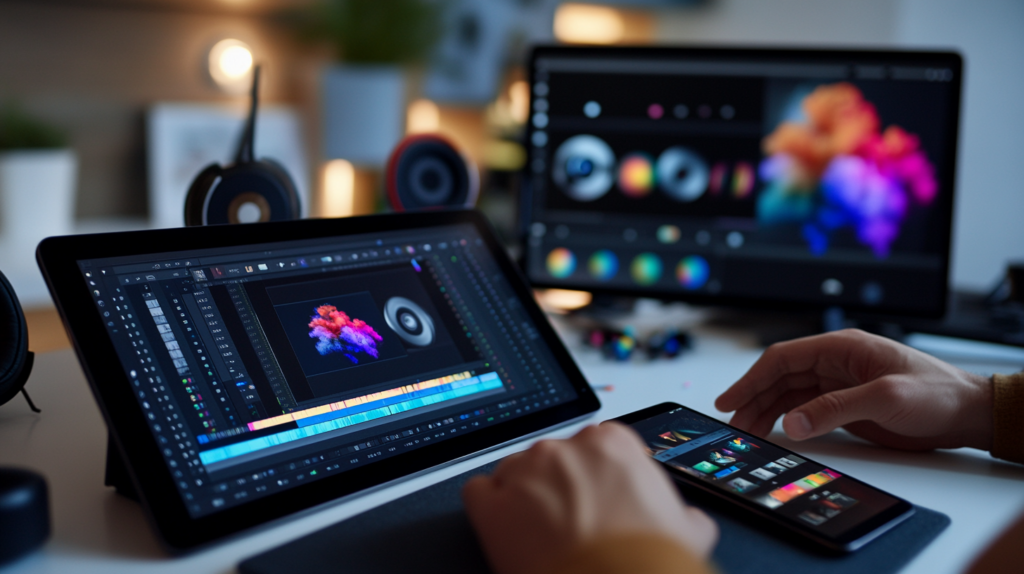
To upload a Spotify Canvas, the file needs to follow Spotify’s requirements. The visual must be 3 to 8 seconds long, use a vertical 9:16 format, and be designed for mobile viewing. Spotify’s current support guidelines list Canvas files as MP4 or JPG, with the visual appearing in the Now Playing view instead of standard album artwork.
The format is simple, but the execution still matters. A good Canvas should feel smooth, intentional, and easy to watch. Fast flashing graphics, awkward cuts, crowded text, or visuals that do not match the song can distract the listener instead of improving the experience. The goal is not to make an advertisement inside Spotify. The goal is to create a short visual moment that makes the song feel more complete.
Artists should also consider safe framing. Since Canvas is shown on different phone sizes, important visual elements should stay near the center of the frame. Faces, text, logos, or key motion can get cropped if they sit too close to the edges. A clean vertical video with centered movement usually performs better than a busy frame packed with too many visual details.
A strong Canvas video starts with the feeling of the track. If the song is emotional, slow, or atmospheric, the Canvas should support that tone with subtle movement, soft lighting, or abstract visuals. If the track is energetic, danceable, or bold, the Canvas can use stronger motion, performance footage, color shifts, or quick visual rhythm.
For artists with existing footage, the easiest approach is to pull a short clip from a music video, live performance, studio session, or behind-the-scenes moment. The clip should not feel random. It should match the song’s world. A studio shot can make a track feel intimate, a performance clip can add personality, and animated artwork can help reinforce the visual style of a release.
Artists without video footage can still create an effective Spotify Canvas using design tools. Animated cover art, moving gradients, film textures, lyric-inspired typography, or subtle motion effects can work well when they feel connected to the music. The key is consistency. The same creative thinking used for social media content ideas for musicians also applies here: the visual should support the song’s identity, not compete with it.
You do not need a professional editing setup to create a useful Canvas. Free and affordable tools like CapCut, Canva, Adobe Express, and DaVinci Resolve can help artists crop footage, trim clips, add movement, and export a polished vertical file. The best tool is the one that lets you create a clean loop without overcomplicating the process.
The loop is the most important part. Since Canvas repeats while the track plays, the ending should connect naturally with the beginning. A harsh jump can feel distracting, while a smooth loop makes the visual feel intentional. Slow zooms, reversible movement, abstract animations, and clips with repeated motion are often easier to loop than footage with obvious action changes.
Artists who already have a release campaign planned should create Canvas assets before the song goes live. That way, the track feels complete from the beginning, and every listener who arrives through playlist placements, social promotion, or algorithmic discovery sees the full visual presentation. This is especially useful when Canvas supports a larger Spotify release strategy rather than being added as an afterthought.
The upload process happens inside Spotify for Artists. After logging in, artists can select the track, choose the Canvas option, and upload the prepared visual. Spotify also provides official upload guidance for artists who need help adding Canvas through the platform.
Once uploaded, Canvas can be changed later. That flexibility makes it useful for testing different visuals, refreshing older catalog tracks, or aligning the visual with a specific campaign. For example, an artist may use one Canvas during release week, then update it later when pushing the track through Spotify playlist curator outreach or a new social campaign.
Canvas should not be treated as a one-time decoration. It can become part of the release workflow. Before sending a track to curators, running content around the release, or investing in promotion, artists should make sure the track page looks professional. A finished Canvas helps communicate that the artist is taking the release seriously.
Spotify has reported that listeners who see a Canvas are more likely to keep streaming, share the track, add it to playlists, save it, and visit the artist profile. In one Spotify for Artists article, Spotify stated that when listeners saw Canvas, they were more likely to keep streaming by 5% on average, share the track by 145%, add it to playlists by 20%, save it by 1.4%, and visit the profile by 9%.
These numbers are important, but they should be understood correctly. Canvas does not magically turn a weak song into a strong release. It improves the presentation around the track and can encourage more listener actions when the music already connects. In that sense, Canvas supports Spotify's growth by improving how listeners experience and share the song.
The save rate is especially important because saves can contribute to stronger engagement signals. When listeners save a song, return to it, or add it to playlists, Spotify receives more evidence that the track is resonating. That is why Canvas works well alongside Spotify growth tactics focused on retention, saves, playlist adds, and repeat listening.

The Spotify algorithm responds to listener behavior. When a track receives real saves, repeat plays, playlist adds, shares, and profile visits, those signals can help the platform understand that the song is worth recommending to more listeners. Canvas supports that process indirectly by making the listener experience more engaging.
A visual loop can keep someone in the Now Playing view longer. That extra attention may increase the chance of a save, share, or profile visit. Over time, these small actions can support the track’s overall algorithmic performance, especially when combined with strong retention and clean playlist traffic.
For artists who want to understand how discovery works, Canvas should be viewed as one part of a larger system. It connects with release timing, playlist strategy, audience targeting, social content, and listener quality. The stronger the full system is, the more useful Canvas becomes. That is why it pairs naturally with a broader understanding of the Spotify algorithm in 2026.
Playlist promotion works best when a track is ready to convert attention into engagement. Getting placed in front of listeners is only the first step. The track still needs to make people care enough to save it, replay it, share it, or explore the artist's profile. Canvas can help with that second step.
When a listener discovers your track through a playlist and taps into the Now Playing view, the Canvas becomes part of the first impression. A polished visual can make the artist feel more credible and memorable. It can also help the song stand out from other tracks in the same playlist, especially when the listener is moving quickly through new music.
This is also useful when communicating with curators. A strong track, clean profile, professional cover art, and polished Canvas can make the pitch feel more complete. Artists preparing outreach can strengthen the full presentation by combining Canvas with a clear message, strong metadata, and a focused Spotify playlist pitch template.
Over time, Spotify Canvas can become part of an artist’s visual world. A consistent color palette, animation style, camera style, or visual motif can make a catalog feel more unified. When listeners move from one track to another, that consistency helps reinforce the artist’s identity.
This is where Canvas becomes more than a release tool. It becomes a music branding asset. Artists who use Canvas across singles, EPs, albums, and older catalog tracks can create a more immersive Spotify presence. The result is a profile that feels intentional rather than incomplete.
For independent artists, this matters because brand recognition helps build memory. Listeners may not remember every song title immediately, but they can remember a feeling, a visual style, a color world, or a repeated creative signature. Canvas gives artists another way to make that connection stronger through music branding for artists.
One of the most common mistakes is treating Canvas like a promotional banner. Spotify already displays the song title and artist name in the Now Playing view, so repeating that information inside the Canvas is usually unnecessary. Social handles, calls to action, crowded text, and unrelated branding can make the visual feel less artistic and more like an ad.
Another mistake is using visuals that do not match the track. A high-energy clip on a quiet emotional song can feel disconnected, while a slow abstract loop on a club-ready single may feel flat. The Canvas should extend the emotional world of the song, not contradict it.
Artists should also avoid uploading low-quality footage just to have something there. A blurry, poorly cropped, or awkwardly looped video can weaken the experience. It is better to use a simple but clean animated cover than a messy video that distracts from the song. Canvas works best when it feels intentional, polished, and aligned with the artist’s larger playlist marketing and release strategy.
Canvas is valuable because it improves the experience around a track, but it should not be the only promotion tactic. The strongest results come when Canvas supports a complete campaign that includes release planning, profile optimization, social content, playlist outreach, and consistent listener engagement.
For example, an artist preparing a new single can build the Canvas around the same visual direction used for cover art, Reels, TikTok clips, press assets, and playlist pitching. This gives the campaign a unified identity and makes the release feel stronger across every platform. When the track starts gaining attention, Canvas helps make that attention more memorable.
This is why Canvas belongs inside a larger Spotify release strategy. It is simple to create, free to upload, and useful across playlist placements, social shares, algorithmic discovery, and catalog growth. For artists who want every release to look as serious as it sounds, Canvas is no longer optional. It is part of the modern Spotify presentation.
Yes, Canvas can help support more streams by improving listener engagement and shareability. Spotify has reported higher streaming, sharing, playlist add, save, and profile visit behavior when listeners see Canvas, but results still depend on song quality, audience fit, and overall promotion.
Artists can add Canvas to new releases and existing catalog tracks through Spotify for Artists. This makes it useful for refreshing older songs, supporting playlist campaigns, or improving the visual presentation of tracks that are still receiving traffic.
Canvas does not replace playlist promotion, release planning, or audience development. It works best as a supporting asset that helps convert playlist exposure into stronger listener actions like saves, shares, profile visits, and repeat plays.
Spotify Canvas is one of the easiest ways to make a track feel more professional, visual, and shareable. It takes a small amount of effort, but it can support more engagement across streams, saves, shares, playlist adds, and profile visits. For independent artists, that makes it a practical tool with real promotional value.
The best Canvas does not need to be complicated. It needs to match the song, loop smoothly, follow Spotify’s specs, and strengthen the artist’s visual identity. Whether you use performance footage, animated artwork, abstract motion, or a clip from a larger campaign, the goal is the same: give listeners another reason to connect with the track.
If you are preparing your next release or promoting an existing song, add Canvas before sending new traffic to the track. Pair it with clean playlist outreach, strong release planning, and real listener-focused promotion. To build momentum without fake streams or shortcuts, contact Explicit Promotions and start growing your music with a strategy designed for real engagement.
